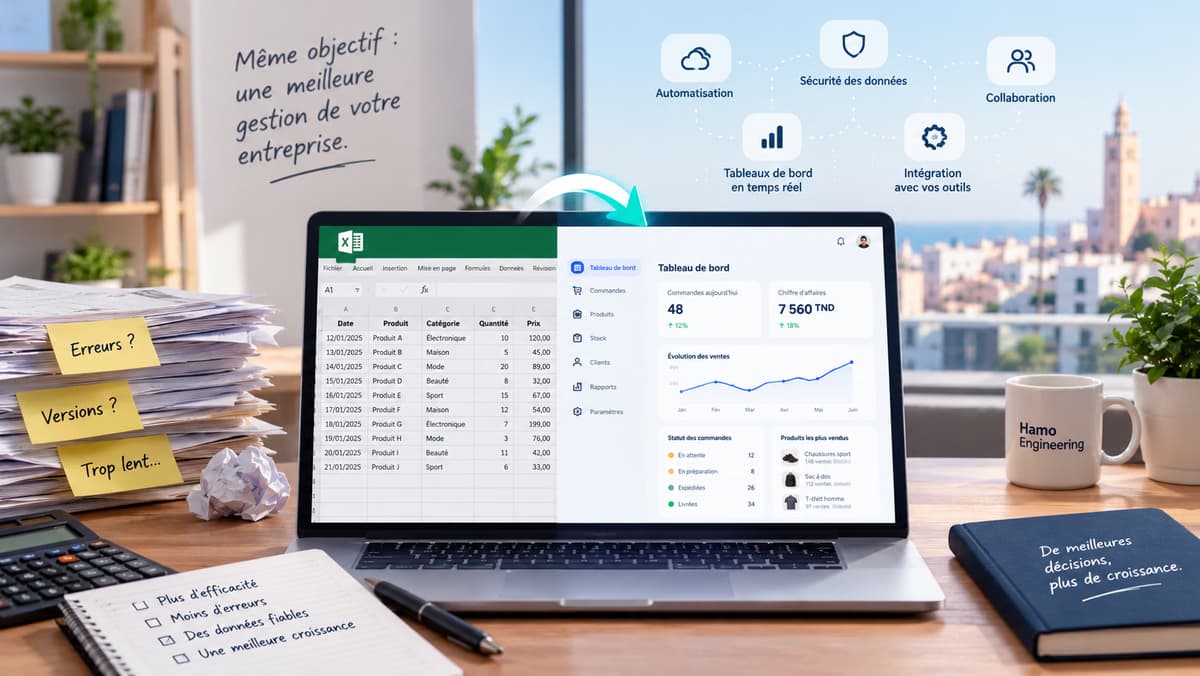

Running a business involves hundreds of repetitive tasks every day. From responding to customer inquiries and processing orders to managing invoices, updating spreadsheets, sending follow-ups, and coordinating teams, many business operations consume valuable time without directly contributing to growth.
As businesses grow, these tasks become increasingly difficult to manage manually. What once took a few minutes can turn into hours of administrative work, creating delays, mistakes, and unnecessary operational costs.
Business automation offers a way to solve this problem.
By connecting your tools, automating repetitive processes, and building systems that handle routine operations, businesses can improve efficiency, reduce human error, and focus more of their resources on customers, strategy, and growth.
But automation isn't simply about replacing people with software. It's about designing better business processes.
What Is Business Automation?
Business automation is the use of software, technology, and interconnected systems to perform repetitive business tasks with minimal manual intervention.
Instead of requiring someone to manually complete every step of a process, automated workflows can execute actions based on predefined rules, triggers, events, or data.
For example, when a customer places an order on an ecommerce website, an automated workflow could:
Record the order in the business management system.
Update inventory levels.
Notify the warehouse team.
Send an order confirmation to the customer.
Generate an invoice.
Trigger a delivery request.
Update the sales dashboard.
These actions can happen automatically, without employees needing to manually transfer information between different systems.
Business automation can be implemented using existing software, integration platforms, APIs, custom applications, or artificial intelligence, depending on the complexity of the process.
Why Businesses Should Automate Their Operations
Automation becomes increasingly valuable as a business grows and its operational complexity increases.
1. Reduce repetitive work
Employees often spend significant time performing tasks that follow the same pattern every day.
Examples include:
Copying information between spreadsheets.
Sending repetitive emails.
Updating customer records.
Creating invoices.
Generating reports.
Processing routine requests.
Following up with customers.
Automating these activities allows your team to spend less time on administrative work and more time on tasks that require judgment, creativity, and human interaction.
2. Reduce human errors
Manual data entry and repetitive processes increase the risk of mistakes.
A forgotten order, incorrect stock quantity, duplicated invoice, or missing customer information can create problems that affect both your business and your customers.
Automated workflows can apply consistent rules, validate information, and ensure that important steps are completed in the correct order.
Automation does not eliminate every error, but properly designed systems can significantly reduce errors caused by repetitive manual operations.
3. Improve customer experience
Customers increasingly expect fast responses, clear communication, and reliable service.
Automation can help businesses provide:
Immediate order confirmations.
Automated appointment reminders.
Faster customer support responses.
Personalized follow-up messages.
Real-time order status updates.
Consistent communication throughout the customer journey.
A well-designed automated process allows customers to receive better service without requiring your team to manually manage every interaction.
4. Scale without increasing administrative workload
As your business grows, the number of orders, customers, transactions, and operational tasks usually increases.
Without automation, growth often means hiring additional employees simply to manage the increasing workload.
Automation allows businesses to handle larger volumes of work using existing resources, provided that the underlying systems are designed to scale appropriately.
The goal isn't necessarily to eliminate jobs. It's to avoid building an organization where every increase in business volume requires a proportional increase in manual administrative work.
What Should You Automate First?
One of the biggest mistakes businesses make is attempting to automate everything at once.
The most effective approach is to identify processes that are repetitive, predictable, time-consuming, and prone to errors.
Here are some of the best starting points.
1. Customer Communication
Customer communication is one of the easiest areas to automate.
You can create workflows that automatically send:
Welcome emails when a customer registers.
Order confirmations after purchases.
Appointment reminders before scheduled meetings.
Payment reminders for outstanding invoices.
Follow-up messages after a purchase.
Notifications when an order is shipped or delivered.
For example, a service business could automatically send a confirmation message when a customer submits a booking request, followed by a reminder before the appointment.
This improves communication while reducing the amount of time employees spend sending individual messages.
2. Sales and Lead Management
Many businesses lose potential customers simply because they fail to follow up at the right time.
A lead management workflow can automatically capture inquiries from your website, assign them to the appropriate salesperson, create a task, and send an initial acknowledgment.
A more advanced system could also:
Categorize leads based on their requirements.
Notify sales representatives about high-priority opportunities.
Schedule follow-up reminders.
Track the progression of each lead.
Identify leads that haven't received a response.
For businesses receiving inquiries from multiple channels, centralizing lead management can make a significant difference.
3. Invoicing and Financial Operations
Financial administration is another area where automation can eliminate unnecessary work.
Depending on your accounting systems, automated workflows can help with:
Invoice generation.
Payment notifications.
Recurring billing.
Expense categorization.
Payment reconciliation.
Financial reporting.
For example, once a service is completed or an order is confirmed, the system could generate an invoice automatically and send it to the customer.
Businesses should still maintain appropriate approval processes and financial controls, particularly for payments, refunds, and sensitive financial operations.
4. Inventory and Order Management
For retailers, distributors, and ecommerce businesses, inventory management is often one of the most important automation opportunities.
When systems are connected, an order can automatically trigger inventory updates, purchasing alerts, warehouse tasks, and customer notifications.
Consider a business selling products through both a physical store and an online shop.
Without automation, employees may need to manually update stock levels across multiple platforms. This increases the risk of overselling, inaccurate inventory, and unnecessary delays.
With an integrated inventory system, stock movements can be synchronized automatically.
Businesses with more complex requirements may benefit from a dedicated inventory management system or a custom solution designed around their specific operational workflows.
5. Reporting and Business Analytics
Business owners frequently spend hours collecting information from different systems before they can understand how their business is performing.
Automation can collect, process, and organize information into dashboards and reports.
Examples include:
Daily sales reports.
Monthly revenue summaries.
Inventory alerts.
Customer acquisition reports.
Operational performance dashboards.
Automated management reports.
Instead of waiting until the end of the month to discover a problem, businesses can monitor important indicators in near real time and make decisions based on more reliable information.
6. Internal Operations and Team Workflows
Automation can also improve how employees collaborate.
For example, when a new project starts, a workflow could automatically create tasks, assign responsibilities, notify the relevant team members, and establish deadlines.
Other examples include:
Employee onboarding.
Document approval.
Internal requests.
Task assignment.
Project notifications.
Expense approval workflows.
These systems reduce the need for employees to constantly coordinate routine activities manually.
How to Automate Your Business Step by Step
Successful business automation starts with understanding your processes, not choosing software.
Step 1: Identify repetitive tasks
Begin by observing how your business operates.
Ask your team:
Which tasks do you perform repeatedly every day?
Which processes require copying information between tools?
What tasks frequently get forgotten?
Where do errors occur most often?
Which activities consume the most administrative time?
What prevents employees from focusing on more valuable work?
Create a list of potential automation opportunities.
You don't need to automate every process. Focus on tasks that have a clear operational cost and a predictable workflow.
Step 2: Map the existing workflow
Before automating a process, document how it currently works.
For example, a customer order might follow this workflow:
Customer places an order → Employee verifies payment → Stock is checked → Order is prepared → Delivery is scheduled → Customer is notified.
Identify unnecessary steps, duplicated information, bottlenecks, and decisions that require human intervention.
Sometimes, the best solution is to simplify a process before automating it.
Automating an inefficient workflow can simply make inefficiency happen faster.
Step 3: Define the desired outcome
Determine exactly what the automation should accomplish.
Instead of saying, "We want to automate customer orders," define measurable objectives such as:
Reduce order processing time.
Eliminate duplicate data entry.
Notify customers automatically.
Reduce inventory discrepancies.
Improve order tracking.
Clear objectives make it easier to evaluate whether the automation is actually delivering value.
Step 4: Choose the right automation approach
Not every business requires custom software.
Simple workflows can often be automated using existing applications or integration platforms.
More complex processes may require custom development, particularly when multiple systems need to communicate, business rules are unique, or the automation must handle large volumes of data.
The appropriate solution depends on your existing technology, operational requirements, budget, and long-term goals.
Step 5: Connect your business systems
Many businesses already use several tools for different operations.
The challenge is that these systems often operate independently.
Connecting them through APIs, webhooks, integrations, or custom middleware allows information to move automatically between applications.
For example:
Website → CRM → Accounting Software → Inventory System → Delivery Platform
When these systems communicate correctly, employees no longer need to manually transfer information between them.
Step 6: Test before deployment
Automation should be tested using real-world scenarios before it becomes part of your daily operations.
Test situations such as:
Missing information.
Invalid data.
Duplicate requests.
Failed integrations.
Unexpected customer actions.
System interruptions.
Reliable automation should include error handling, logging, notifications, and appropriate fallback procedures.
A workflow that works only when everything goes perfectly isn't ready for production.
Step 7: Monitor and improve
Business processes change over time.
New products, employees, suppliers, customers, and operational requirements may introduce new challenges.
Monitor your automated workflows to identify failures, delays, bottlenecks, and opportunities for improvement.
Automation should be treated as an evolving part of your business infrastructure rather than a one-time implementation.
Business Automation Tools vs. Custom Software
Businesses generally have two approaches to automation: using existing tools or developing custom systems.
Using existing automation tools
Ready-made automation platforms can connect popular applications and create workflows without extensive software development.
They are particularly useful for straightforward processes involving common applications.
Examples include:
Sending notifications between applications.
Synchronizing contact information.
Creating tasks automatically.
Triggering emails based on events.
Connecting forms to databases.
For businesses with relatively simple workflows, these tools can provide an effective starting point.
Building custom automation software
As business operations become more complex, off-the-shelf tools may introduce limitations.
Custom automation can be useful when:
Your business follows unique operational rules.
Existing tools cannot support your workflow.
You need to integrate legacy systems.
You process large volumes of transactions or data.
Automation requires complex validation or decision-making.
You need complete control over data, permissions, and infrastructure.
Multiple departments depend on a connected system.
Custom software allows automation to be designed around the actual business rather than forcing the business to adapt to the limitations of generic software.
In many cases, the best solution combines existing software with custom integrations and applications.
How AI Is Changing Business Automation
Traditional automation follows predefined rules.
Artificial intelligence introduces the ability to process information that is more complex, unstructured, or difficult to interpret using conventional logic alone.
AI can help automate tasks involving:
Understanding customer messages.
Categorizing documents.
Extracting information from invoices.
Summarizing reports.
Answering questions using business documentation.
Analyzing customer feedback.
Classifying incoming requests.
Assisting employees with internal knowledge.
For example, an AI-powered customer support workflow could analyze an incoming message, identify the customer's issue, retrieve relevant information, and prepare a response for an employee to review.
AI can also be integrated into existing business applications to improve search, recommendations, data analysis, and decision support.
However, AI shouldn't be used simply because it is available.
For processes involving financial transactions, legal obligations, sensitive information, or important business decisions, appropriate validation and human oversight remain essential.
The most effective automation solutions combine reliable software workflows with AI where intelligent interpretation provides genuine value.
How Much Does Business Automation Cost?
The cost of business automation depends on the complexity of the process, the number of systems involved, the volume of data, and the level of customization required.
A simple workflow connecting two existing applications may require relatively little implementation work.
A larger automation project involving multiple departments, custom APIs, business logic, databases, dashboards, and AI capabilities may require a more substantial engineering investment.
Instead of evaluating automation based solely on its initial cost, businesses should consider the operational savings it can generate over time.
For example, if a process consumes 20 employee hours every month, automating it could free up approximately 240 hours annually.
The actual financial benefit depends on the cost of those hours, the reliability of the automation, maintenance expenses, and how effectively the recovered time is used.
A practical automation project should have a clear business objective and a realistic way to measure its return on investment.
Common Business Automation Mistakes to Avoid
Automation can create new problems when implemented without proper planning.
Automating a broken process
If a workflow is unnecessarily complicated, automation may make it harder to maintain.
Review and simplify the process before implementing automation.
Choosing tools before understanding requirements
A popular automation platform may not support your specific workflow, security requirements, or integrations.
Define the problem first, then evaluate possible solutions.
Connecting systems without proper validation
Automated data transfers can introduce incorrect information across multiple applications if validation is missing.
Use appropriate data checks, error handling, and monitoring.
Ignoring security
Automation may require access to customer information, financial data, or internal systems.
Use secure authentication, appropriate permissions, encrypted communication, and access controls.
Automating everything at once
Large automation projects can become expensive and difficult to manage.
Start with a small, measurable improvement and expand gradually.
Forgetting maintenance
APIs change, software updates introduce new behavior, and business processes evolve.
Automated systems need monitoring, maintenance, and periodic review.
Start Small, Build a Connected Business
Business automation doesn't require transforming your entire organization overnight.
The best starting point is often a single repetitive process that creates unnecessary work, delays, or operational errors.
Automate it, measure the results, and use what you learn to identify the next opportunity.
Over time, individual workflows can evolve into a connected business system where customer information, orders, inventory, financial operations, and internal processes work together.
The objective isn't to create more software.
It's to create a business that operates more efficiently, responds faster, makes better decisions, and can grow without unnecessary operational complexity.
Need Help Automating Your Business?
At Hamo Engineering, we design and develop digital systems, custom applications, API integrations, AI-powered workflows, and business automation solutions around real operational requirements.
Whether you want to connect existing tools, eliminate repetitive administrative work, modernize outdated software, or build a custom platform for your business, we can help you identify the right approach.
Let's identify the processes slowing your business down and build a smarter way to operate.